Join our webinar and learn more about retention and data minimization policies are often documented but rarely enforced effectively at scale.

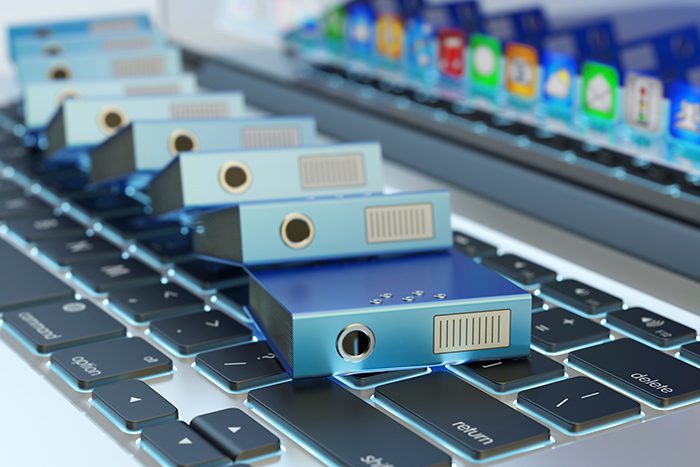
Human Resource (HR) departments face numerous challenges in managing employee records efficiently and securely. From securing documents with sensitive personal information to ensuring compliance with retention requirements, traditional paper-based systems often fall short. However, digitizing employee documents offers a solution to these challenges, providing HR professionals with streamlined processes, enhanced accessibility, and improved compliance. Continue reading to explore six compelling reasons why digitizing HR documents is essential for modern organizations.
One of the ongoing struggles HR departments face is the inability to scale with the organization. Typically, HR is one of the last departments to get approval for new headcount, making “doing more with less” a common mantra.
According to a McKinsey report, a typical worker spends nearly 2 hours per day searching for paper documents, files, and emails. That’s almost 10 hours—25% of the typical work week—wasted. Imagine having that time back. Think of all the things you and your team could accomplish. With all the responsibilities you manage, how can you afford to waste this much time looking through physical personnel files?
What if you could find digital employee files in 30 seconds or less? Imagine having all business-critical documents available at your fingertips. Now envision those documents in an organized, structured environment, allowing for targeted results without the need to sift through pages of irrelevant information.
Digitizing HR documents can save you significant time and improve efficiency, allowing you to focus on more strategic tasks.
Geographically dispersed organizations face unique challenges with employee paperwork. This doesn’t just apply to different states or towns but even to different floors within the same building.
During the onboarding process, employee paperwork often needs to be sent from one location to another. This presents several logistical challenges. How does the new hire paperwork get from point A to point B? How does the hiring manager access these documents? Do they end up keeping copies? How much back-and-forth is needed to ensure paperwork is complete and correctly filled out?
These challenges continue with employee mobility. For example, when an employee is promoted to a new department, how does the paperwork transition from the former manager to the new manager? Similarly, if an employee moves between office locations, business units, or regions, how does the new manager access the employee file? Is HR creating multiple files for the same individual?
If physical records are your organization’s medium of choice, the paper shuffle is constant and inefficient. However, with digital records, documents can be accessed instantly from anywhere, ensuring managers and HR personnel always have the most up-to-date information without the hassle of physical transfers.
Join our webinar and learn more about retention and data minimization policies are often documented but rarely enforced effectively at scale.
HR documents need to be shared easily and securely with both internal (managers, finance) and external parties (government agencies, auditors, or lawyers).
An Access survey of HR professionals found that 69% share important documents with third parties once a quarter or more, and 11% need to share at least once a week. The same survey also found that 76% use email as their primary delivery method, and 67% deliver physical copies of the files.
Typically, a document is scanned, emailed to the required recipient, and then multiple copies exist in various inboxes and outboxes. Even if you delete these copies, the records still reside on email servers, and you lose control over what the recipient does with the document—they might print or forward it, creating multiple unsecured copies.
Physical files pose similar problems. Copies are given to the requesting person, but their ultimate fate is unknown. They might end up in an unlocked file drawer, unprotected.
The reality is these records should never leave your possession. Period. With electronic documents and a digital document management solution, you can ensure secure, efficient sharing and maintain control over sensitive information.
HR departments often use various technology solutions like HRIS, talent management, onboarding, and succession planning systems. While these technologies are essential, they create information silos, making it difficult to get a comprehensive view of employee files. Each system requires separate logins, familiarization, and manual data integration.
The number of systems companies use is increasing. For instance, nearly 60% of companies now have onboarding and recruiting systems. This proliferation leads to multiple versions of the same digital employee files across different systems. Often, documents are printed from one system to be added to another or to a paper personnel file, with paper serving as the only common integration method.
Digitizing HR documents can break down these silos. A unified digital system ensures that all employee information is consistent, easily accessible, and secure, reducing the need for redundant data entry and physical document handling.
Ask yourself this question – “How confident are you that all your personnel files are complete?”
Can you say with confidence that you have a complete set of documents for all your employees? Are you sure they’re up to date? Are they fully executed copies and not drafts? Unfortunately, our files don’t tell us when documents are missing. The moment you need a document is the wrong time to find out you don’t have it.
Imagine having the confidence that your digitized personnel files are always complete. A robust HR document management system with strong workflow and monitoring controls can automatically scan electronic employee files, ensuring completeness, identifying expiring documents, and flagging those needing updates. Let your system take care of these tasks, so you don’t have to.
You need to ensure records are kept as long as needed, but no longer. HR departments handle personal data such as social security numbers, medical records, and financial information, which must be securely managed and eventually destroyed to prevent identity theft and data breaches. Proper retention practices help avoid legal issues related to improper document handling and ensure that sensitive information is protected.
Digitizing HR documents helps to streamline records retention processes, reduce the risk of non-compliance, and promote efficient data management practices. When documents are digitized and maintained using a digital document management system, notifications can alert personnel when retention periods expire or when documents are due for review or destruction.
The decision to digitize employee documents brings numerous benefits that directly address the key challenges faced by HR professionals. The key is to create a singular, comprehensive view of an employee file while also maintaining security, enforcing retention, and enabling accessibility. This is where choosing the right HR document management system is paramount.
The HR document management system you choose should be able to integrate with your current HRIS or HCM, allow for secure file sharing and access, streamline document retention processes, and enable you to create and analyze an employee file from one central dashboard.
However, moving from a paper-based environment to digitized documents is a big leap forward, and a large scanning project might not fit within the budget. Leveraging an active file service may be the key to ‘going digital’ without the unmanageable expense.
By incrementally digitizing your employee documents, and then storing them in a cloud-based HR records management software, you can achieve compliance for your organization and maintain control over sensitive data. For more information or a customized solution, speak with an Access consultant today.
Share